June 8, 2026

The Best CRM for Roofing Contractors: What to Look for in 2026

Author

Liam Walsh

9 minute read

Share

Overwhelmed roofer with chaotic paperwork and sticky notes versus organized roofer using roofing CRM software on tablet in truck

If you're running a roofing company without a CRM, you're almost certainly losing leads you've already paid to generate. The problem isn't a lack of opportunity — roofing demand in 2026 remains strong, and most markets have more work available than roofers available to do it. The problem is capture and follow-through: leads that come in through multiple channels, get partially tracked, and fall through the cracks before anyone closes them.


A good CRM changes this. It captures every lead regardless of source, creates the structure for consistent follow-up, gives owners and managers visibility into what's happening in the pipeline, and makes sure that the marketing investment you've made in generating leads actually converts into jobs. This guide covers what to look for in a roofing CRM, why roofing-specific tools outperform generic alternatives, and the red flags that signal a bad fit.

Why Roofers Lose Leads Without a CRM

Roofer on roof taking measurements instead of using a roofing CRM software with lead management and follow up

The lead leakage problem in roofing is well documented. Leads come in from more channels than most businesses deal with — website forms, phone calls, Google ads, social media, referrals, door-knocking canvassers, storm chasers, home shows — and without a system to capture and organize all of them, a significant portion never get a meaningful follow-up.


The pattern is predictable. A homeowner calls about a roof inspection. The roofer is on a job site, writes the number on a piece of paper, and intends to call back. Two days pass. The number gets called once, goes to voicemail, and doesn't get called again. The homeowner has already signed with someone else. According to the U.S. Small Business Administration, small businesses that implement structured customer tracking systems see measurable improvements in follow-through and conversion rates — the mechanism is simple: what gets tracked gets done.


For a roofing company generating 200 leads per year and losing 30% of them to poor follow-up, that's 60 jobs that were never closed — jobs where the homeowner had the need, found the company, and was ready to talk. Recovering even half of that with better systems is a significant revenue improvement, and it comes from process rather than additional marketing spend.


The follow-up problem is equally common. Even when leads are captured, contact attempts are often inconsistent: a first call gets made, goes to voicemail, and there's no second attempt. Most sales research shows that the majority of closed deals happen after multiple contact attempts, yet most contractors without a CRM stop after one or two. Without a system creating tasks and reminders, follow-up depends entirely on individual memory and discipline — which is variable even among your best people.


What this means for your business: Every lead that enters your pipeline is already paid for — through marketing spend, referral goodwill, or your time generating it. A CRM is the infrastructure that ensures that investment doesn't leak out before the job closes.


Generic CRM vs. Roofing-Specific CRM

Stressed roofing contractor managing leads on laptop in messy truck versus happy contractor using clean roofing CRM software on tablet

General-purpose CRM tools are designed to work across industries and business types. They're flexible, often well-built, and widely integrated with other software. For a roofing company, though, that flexibility comes with a cost: every field, workflow stage, and process needs to be configured from scratch to reflect how roofing actually works. There are no built-in pipeline stages for "estimate sent," "signed proposal," or "job scheduled." There's no understanding of what a square footage is, why pitch matters, or how insurance claims affect the sales cycle.


A roofing-specific CRM arrives with the industry's workflow already modeled. Pipeline stages match the roofing sales process. Contact fields include the property-specific details that matter for estimates: address, roof type, approximate age, damage description, lead source. The terminology your team already uses is built in rather than requiring customization to create. This matters more than it might seem — a CRM that your team has to translate their work into is a CRM they'll use reluctantly and inconsistently.


The integration picture is also different. A roofing-specific platform built around a roofing CRM connects naturally to measurements, estimates, proposals, and material orders — because the same company built them with each other in mind. A generic CRM connected to a separate measurement service, a separate estimating tool, and a separate proposal platform requires integration work upfront and ongoing maintenance every time one of those systems updates.


For the trade-offs between roofing-specific and multi-tool approaches at a broader business level, the roofing software comparison guide covers the cost and complexity analysis in detail.


Must-Have Features for a Roofing CRM

Roofer using best CRM for roofing with sales pipeline, client profiles, proposal preview, and job photos all in one integrated platform

Not all CRMs built for roofing deliver the same functionality. Here's what to prioritize.


Lead capture from all sources. A CRM that only captures leads from one channel — say, website forms — misses phone calls, text inquiries, referrals, and door-knocking activity. All of these need to end up in the same system to give you a complete picture of your pipeline and your marketing performance. The best setups include automatic capture from web forms, call tracking integration that logs inbound calls, and easy mobile entry for field-generated leads.


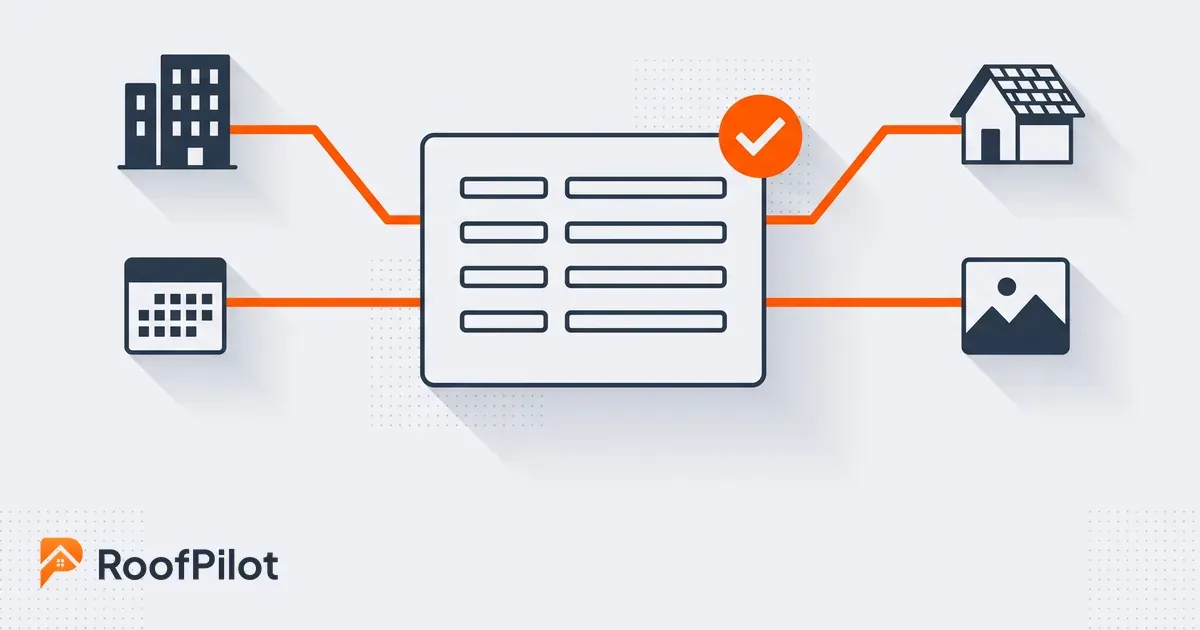
Centralized contact and property management. Every interaction with a lead or customer — calls, emails, texts, notes, photos, documents — should be accessible from a single record. When a homeowner calls and you have to ask "who is this again?" or search three different places to find their last conversation, you're working without a real CRM. Any team member should be able to pull up a complete customer history instantly.


Visual sales pipeline. A pipeline view that shows every open lead and deal at a glance — with deal value, stage, and time since last activity — gives owners and managers the visibility to identify stuck deals before they go cold, and to hold salespeople accountable without having to ask for status updates constantly.


Follow-up automation and task management. The CRM should create tasks automatically based on pipeline stage — when a lead enters the "estimate sent" stage, a follow-up task gets created for the next business day. Overdue reminders, notification alerts, and automated sequences should be available without requiring manual setup on every deal. This is the mechanism that makes follow-up consistent rather than dependent on individual memory.


Activity tracking. Every call made, email sent, note logged, or appointment scheduled should be captured against the deal record. This serves two purposes: it gives managers visibility into what's actually happening in the sales process, and it creates the data you need to understand what activities correlate with closed deals vs. deals that go cold.


Lead source attribution. Knowing where a lead came from when it enters the pipeline is useful. Knowing which source produced the leads that actually closed — and at what margin — is what lets you make informed decisions about marketing spend. A CRM that tracks lead source through close, not just at initial entry, is meaningfully more valuable than one that only records where the lead came from.


Mobile capability with full functionality. Roofing salespeople are in the field, not at desks. A CRM that requires a desktop to access all its features doesn't fit where the work happens. Full mobile functionality — adding leads, logging activities, viewing pipeline, pulling customer info on-site — is a requirement, not a nice-to-have.


Integration with estimating and proposals. A CRM that exists in isolation from your estimating and proposal tools creates double work. The address and job details captured in the CRM should flow into an estimate without re-entry. The proposal should send from and track within the CRM. Signed proposals should update deal status automatically. Every manual handoff between systems is an opportunity for error and a consumption of time.


Red Flags When Evaluating a CRM

Per-user pricing that scales aggressively is the most common hidden cost in CRM selection. A platform that looks affordable at one or two users can become expensive once your full sales team and any admin staff need access. Look for flat-tier pricing or generous user allowances and calculate the actual cost at your current team size before committing.


Required add-ons for basic functionality are another warning sign. If reporting, email integration, call tracking, or mobile access require additional paid modules on top of the base subscription, the advertised price is not the real price. Get the all-in cost before comparing options.


Long-term contracts with limited exit options put you in a difficult position if the platform turns out not to fit your workflow. Month-to-month availability or a reasonable annual commitment with clear terms is a better arrangement than a multi-year contract signed before you've used the product on real jobs.


A poor mobile experience is disqualifying for a roofing CRM specifically. If the mobile app is a stripped-down version of the desktop product that doesn't support the activities your field team needs to perform, the CRM will be used inconsistently — and inconsistent CRM usage produces inconsistent results.

Implementing a CRM That Sticks

Choosing the right platform is half the job. Implementation determines whether adoption actually happens.


Before going live, document your current sales process: how leads come in, what happens at each stage, what follow-up looks like, and where the current process breaks down. Configure the CRM to match that process rather than forcing your team to learn a new workflow from scratch. Pipeline stages should reflect how your business actually runs, not a generic template.


Clean and import your existing customer and lead data before training your team. Starting with real data rather than a blank system makes training immediately practical and helps team members see the value faster.


Make CRM usage a clear expectation from day one: every lead gets entered immediately, every activity gets logged, pipeline stage gets updated after every contact. CRM adoption fails most often when it's optional — when people can choose whether to use it or not, some won't, and the data becomes incomplete and untrustworthy.


For a broader look at how CRM fits into the overall systems a roofing company needs as it grows, the guide to scale your roofing business covers the operational infrastructure required from $1M through $5M.

The Bottom Line

A roofing CRM is the infrastructure that converts your marketing investment into actual jobs. Without one, leads that cost you money to generate leak out of the pipeline through missed follow-ups, lost contact information, and inconsistent processes.


The right CRM for most roofing companies is a roofing-specific tool — one where the workflow, terminology, and features are already built for the way roofing businesses operate. The features that matter most are lead capture from all sources, a visual pipeline with automated follow-up tasks, mobile functionality, and tight integration with estimating and proposals. The red flags to avoid are per-user pricing that scales aggressively, required add-ons for basic features, and a mobile experience that doesn't match the desktop.


Get those things right and your CRM becomes one of the highest-return investments in your business.


Stop losing leads. Start closing more jobs.

RoofPilot CRM is built specifically for roofers — lead tracking, automated follow-up, and full integration with measurements, proposals, and payments in one platform.


Roofer reviewing roofing marketing dashboard with closed jobs, revenue, and cost per lead
By Liam Walsh June 19, 2026
How to track roofing lead sources and calculate true marketing ROI — from setup to monthly review — invest in what actually closes jobs, not just generates leads.
Roofer closing more roofing jobs by presenting clear proposal on tablet to smiling homeowner
By Liam Walsh June 15, 2026
How to close more roofing jobs without adding headcount — speed, professional proposals, a repeatable sales process, and the follow-up system that converts.
Roofer receiving multiple roofing leads from Google search, Facebook ads, incoming calls, etc.
By Liam Walsh June 12, 2026
How to generate more roofing leads — proven strategies from Google Business Profile to storm marketing, referrals, and the follow-up system that closes more jobs.
Professional using advanced roofing calculator app with 3D holographic roof measurements and real-ti
By Liam Walsh June 5, 2026
How to choose the best roofing calculator app — what features matter, why integrated platforms outperform standalone tools, and what to look for before you commit.
Roofer using roof waste calculator on tablet to accurately measure materials and reduce waste compar
By Liam Walsh June 1, 2026
How to reduce roofing material waste with accurate measurements, correct waste factors by roof type, and ordering practices that save thousands annually.
 roofer struggling manual calculations versus calm roofer creating instant roof estimate on a tablet
By Liam Walsh May 29, 2026
How to create instant roof estimates that win more jobs — the technology, the on-site process, and why being first with a professional quote matters.
Modern roof estimating with RoofPilot showing $12,847 total cost and easy proposal sending on a tabl
By Liam Walsh May 25, 2026
How to estimate a roofing job accurately — materials, labor, waste, overhead, and profit — plus the common mistakes that cost roofers money on every job.
Roof size calculator on a tablet showing accurate measurements including total square footage.
By Liam Walsh May 18, 2026
How to calculate roof square footage accurately — ground-based estimates, physical measurement, and automated tools.
Modern house with digital roof pitch calculator overlays showing 8/12 and 4/12 slopes
By Liam Walsh May 15, 2026
How to calculate roof pitch, read the X/12 ratio, convert to degrees, and use pitch factors to get accurate material quantities on every job.
roofing software compaison
By Liam Walsh May 13, 2026
Roofing software — one platform or multiple specialized tools? Compare real costs, integration trade-offs, and find the right fit for your business size.